Finding the right AI image upscaler tools can be the difference between a sharp, professional-looking photo and a pixelated mess that loses its impact the moment it goes live.
Table of Contents
- Why Image Resolution Still Matters for Creators in 2026
- What is an AI Image Upscaler?
- How Do You Choose the Right AI Image Upscaler?
- Our Top 5 Picks for AI Image Upscaler Tools
- Tips for Getting the Most Out of AI Image Upscalers
- Comparison Table: Top 5 AI Image Upscaler Tool Picks
- Best Choice For – Our Final Recommendation
- Conclusion: Elevate Your Images with Our Top 5 Picks
Why Image Resolution Still Matters for Creators in 2026
Content moves fast in 2026, but one thing has not changed – blurry, low-resolution images kill engagement. Whether you are posting a meme, a product shot, or an AI-generated visual, image quality is one of the first things audiences notice. A pixelated photo signals low effort before anyone reads a word.
The good news is that AI photo enhancer online tools have come a long way. Modern AI upscalers do not just stretch pixels – they use neural networks trained on millions of images to predict and generate new detail. The result looks sharp, natural, and far closer to a genuine high-resolution original.
For creators using the PicZama Photo Editor, starting with the highest possible image quality matters. Whether you are editing meme templates, removing backgrounds, or generating new visuals with AI tools, a sharp source image always produces a better final result.
The demand for image upscaler tools for creators is growing alongside the explosion of AI-generated images, repurposed content, and multi-platform publishing. Small AI thumbnails, old scans, and compressed social media downloads all benefit from a smart upscaling pass before they go anywhere near a final design.
What is an AI Image Upscaler?
An AI image upscaler is a tool that uses machine learning to increase the resolution of a photo or image while adding realistic detail that was not in the original file. Instead of simply stretching pixels and producing blur, the AI predicts what missing pixels should look like based on patterns learned from millions of high-resolution images, delivering results that look genuinely sharp at larger sizes.
Traditional resizing in any basic photo editor just duplicates or averages existing pixels. The output looks soft and unnatural at scale. AI upscaling works differently – it analyzes the structure, texture, and edges of your image and generates new pixel data that fits the content. A portrait gets skin texture. A landscape gets fine detail in foliage. A meme template stays crisp at double or quadruple its original size.
The best tools in 2026 support upscaling from 2x all the way up to 16x, with specialized models for portraits, product photos, illustrations, and AI-generated artwork.
How Do You Choose the Right AI Image Upscaler?
The right AI photo enhancer online tool depends on three things: where you work (browser or desktop), how many images you need to process, and whether your priority is quality, cost, or speed. A free desktop app suits creators with a capable GPU who want unlimited upscaling. A cloud-based tool suits those who want convenience and professional results without any setup.
When evaluating your options, consider these key factors:
- Output quality: Does the tool genuinely add detail, or just make the image bigger?
- Maximum scale: Does it support the upscale ratio you need – 2x, 4x, or higher?
- Free tier limits: How many images can you process before hitting a paywall?
- Workflow fit: Does it work in a browser, or do you need to install software?
- Privacy: Does the tool upload your images to a server, or process locally?
A common mistake is choosing a tool based on price alone. A free tool with poor models can actually make your image look worse by introducing artifacts or over-sharpening edges. Always test a tool on a sample image before committing to it for your full workflow.
To see a diverse showcase of our AI-generated artworks, follow us on Instagram.
Our Top 5 Picks for AI Image Upscaler Tools
Each pick on this list was chosen based on output quality, ease of use for creators, free tier accessibility, and how well it fits into a real content workflow. Every tool has been verified and is actively maintained as of 2026.
1. PicZama Photo Editor
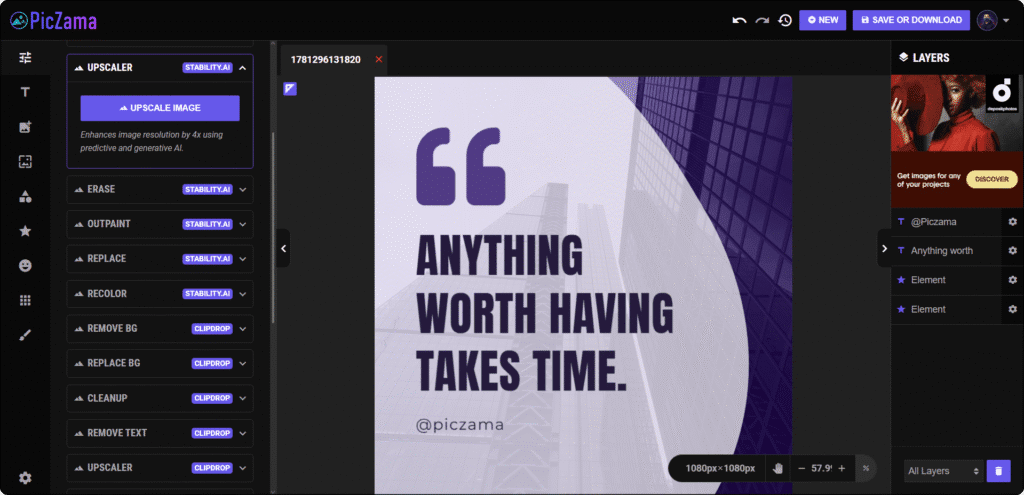
PicZama is an online AI photo editor and meme creation platform built specifically for content creators. It includes two built-in upscaler tools – a Stability AI-powered Upscaler that enhances image resolution by up to 4x using predictive and generative AI, and a Clipdrop Upscaler that lets you set a precise output resolution by defining custom width and height dimensions. Both are available to PicZama users at no platform charge.
Key Features & Strengths
The Stability AI Upscaler uses predictive and generative AI to reconstruct missing pixel detail rather than simply stretching the image. The result is noticeably sharper edges, better texture, and more natural color at larger sizes – ideal for portraits, meme templates, and AI-generated visuals that need to look clean at full scale.
The Clipdrop Upscaler takes a different approach. Instead of a fixed multiplier, it lets you define exact output dimensions – width and height in pixels – giving you precise control over the final file size. This is particularly useful when you are preparing images for specific platform requirements like Instagram’s 1080×1080 square or a fixed thumbnail size where pixel-perfect output matters.
What makes PicZama Photo Editor stand out as one of the best AI image upscaler tools for creators is the full editing environment in which both upscalers sit. After upscaling, you can immediately access the Erase Tool, OutPaint Tool, Background Remover, Meme Generator, and Regenerator – all in one workspace. There is no need to export to another platform just to continue editing.
Pricing Model / Cost
PicZama charges nothing at the platform level to use either upscaler. To access the Stability AI-powered tools, users connect their own Stability AI API key through their PicZama account settings. The Clipdrop tools similarly require a Clipdrop API key connected to your account. Your costs are determined entirely by your API usage – not by PicZama.
Ideal User / Use Case
PicZama is the strongest pick for creators who want both generative AI upscaling and precision dimension-based upscaling inside a single platform – with no platform charge and no need to switch tools mid-workflow. If you use the PicZama Meme Generator or Photo Editor regularly, having two Stability AI and Clipdrop-powered upscalers built directly into the same workspace saves significant time and keeps your content pipeline clean.
Our Verdict: PicZama is the best pick for creators who want a fully integrated AI editing and upscaling workflow, with dual upscaler options – generative 4x AI and precision dimension control – at no platform cost.
2. Let’s Enhance
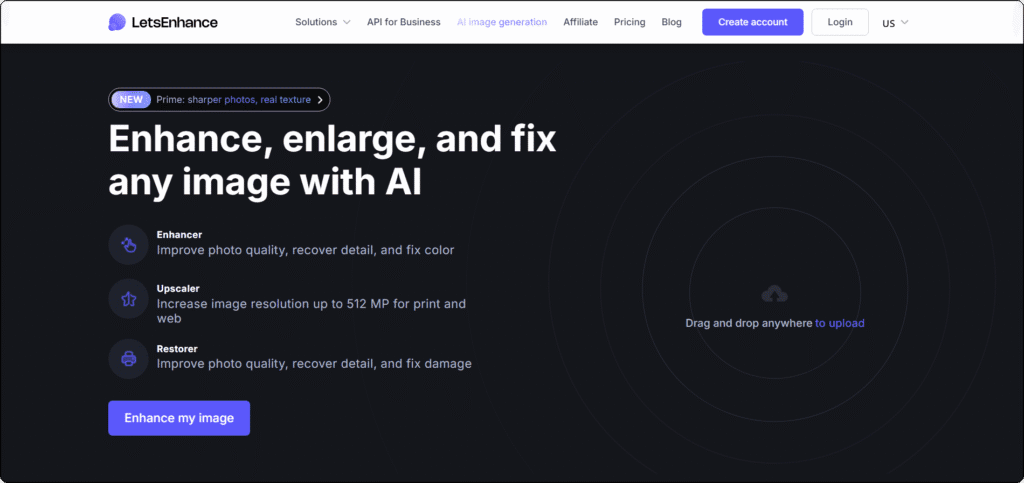
Let’s Enhance is a cloud-based AI photo enhancer online platform that has consistently ranked among the strongest all-round upscalers in independent testing throughout 2025 and 2026. It handles photos, product images, AI-generated artwork, old scans, and illustrations – all in a clean, browser-based interface with no software to install.
Key Features & Strengths
Let’s Enhance offers multiple specialized AI models, including Standard, Gentle (which preserves fine text and UI elements), and an Old Photo restoration mode. The Gentle model is particularly useful for creators working with screenshots, infographics, or any image containing small text that tends to blur under heavy AI processing.
The platform supports upscaling up to 16x – the highest ceiling of any pick on this list – making it the go-to choice when you need billboard-grade or large-format print output from a small source file. Batch processing handles up to 20 images at once, which suits creators managing large volumes of assets for social media or e-commerce.
Let’s Enhance also provides API access, which means developers and agencies can build automated upscaling directly into their content pipelines. This is a genuine differentiator that no other pick on this list offers at the same level.
Pricing Model / Cost
Let’s Enhance offers 10 free credits on signup – enough to evaluate quality before committing. After the free tier, paid plans unlock higher volumes and larger resolution outputs. For current pricing, visit the official Let’s Enhance website.
Ideal User / Use Case
Let’s Enhance is best for creators and professionals who regularly upscale large batches of images, need print-ready resolution, or want API access to automate their workflow. It is also the strongest web-based option for users who need the highest possible output quality without installing desktop software. PicZama users who need to prepare large batches of source images for further editing will find Let’s Enhance a solid complement to their workflow.
Our Verdict: Let’s Enhance is the best overall cloud-based upscaler for creators who need professional-grade results, high-volume batch processing, and the flexibility of 16x maximum output.
3. Upscayl
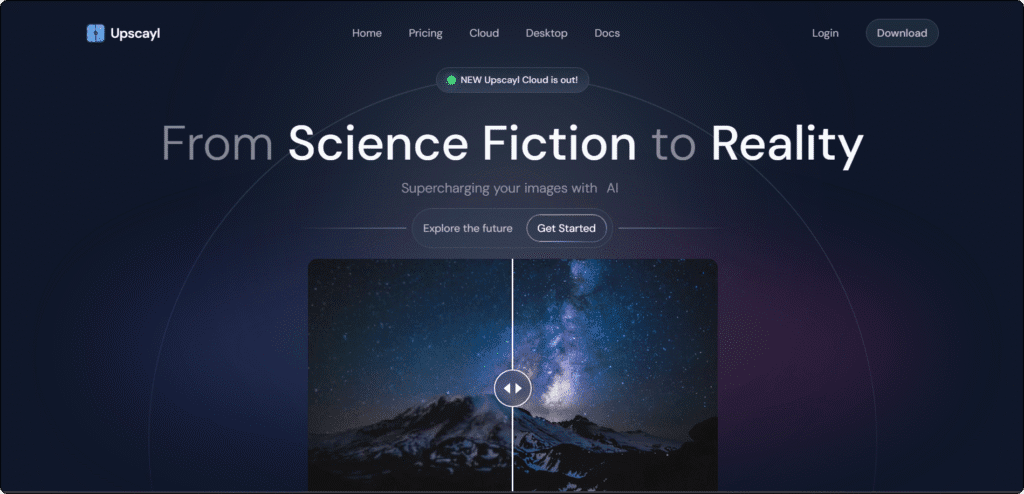
Upscayl is the top-rated free, open-source desktop upscaler available in 2026. It runs entirely on your local machine – no cloud uploads, no account, no subscription, and no watermarks on the output. For creators who process images regularly and want unlimited free upscaling with genuine AI quality, Upscayl is the clear recommendation in this category.
Key Features & Strengths
Upscayl uses the Real-ESRGAN model architecture under the hood, which produces results that compete closely with many paid cloud tools in independent testing. The 2026 version includes seven AI models – General Photo, Digital Art, Face Enhancement, Anime, Real-ESRGAN+, UltraSharp, and Documentary – so you can match the model to your content type rather than relying on one generic setting.
The Double Upscayl feature runs the image through two consecutive upscaling passes for enhanced quality on challenging source files. Batch folder processing handles entire directories of images in one run. Everything processes on your GPU, which means speed is largely determined by your hardware rather than server load or plan tier.
Because all processing happens locally, Upscayl is the strongest option for creators handling sensitive client images or proprietary content who cannot risk uploading files to a remote server.
Pricing Model / Cost
The desktop version of Upscayl is completely free and open-source under the AGPL-3.0 license. There are no credits, no usage limits, and no watermarks on output. A paid Upscayl Cloud option is also available for users who want faster cloud processing without requiring a local GPU. For current pricing on the cloud version, visit the official Upscayl website.
Ideal User / Use Case
Upscayl is ideal for creators who upscale images frequently, have a modern GPU, and want truly unlimited free processing with no strings attached. It is also the best choice for anyone who is privacy-conscious or working with confidential visual assets. The learning curve is minimal – download, install, and upscale in under five minutes.
Our Verdict: Upscayl is the best free image upscaler for creators who want unlimited, watermark-free, AI-quality upscaling at zero cost – provided you have a capable GPU and are comfortable with a desktop app.
4. VanceAI
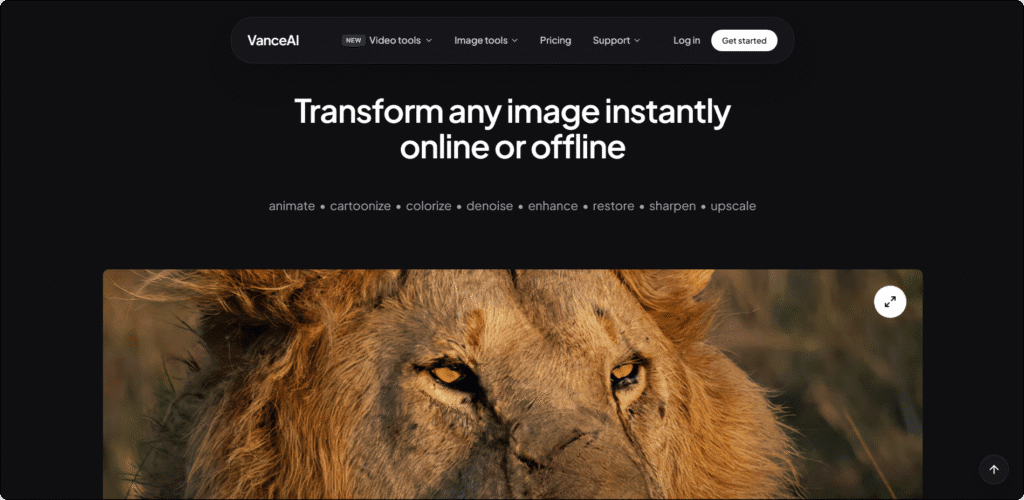
VanceAI is a web-based image enhancement suite that goes well beyond basic upscaling. Alongside its AI photo enhancer online upscaling engine, it offers a dedicated denoiser, sharpener, face enhancer, background remover, and old photo restoration tool – all accessible from one dashboard. For creators who regularly work with a mix of portrait photos, product shots, and vintage images, the breadth of VanceAI’s toolset is a significant advantage.
Key Features & Strengths
VanceAI supports upscaling up to 8x online, with dedicated AI models for photos, anime, and text-heavy images. The face enhancement model is one of the strongest on this list for portrait work – it recovers fine facial detail, skin texture, and eye clarity that generic upscaling models often smooth over.
The platform also offers a Windows desktop app that extends upscaling capabilities further, with claims of up to 40x for specific use cases. For creators who regularly restore old or degraded photos, VanceAI’s combined pipeline of noise removal, resolution enhancement, scratch removal, and color restoration is hard to match in a single web-based tool.
Images are processed on VanceAI’s servers and deleted within 24 hours. The credit-based pricing model means you pay per image rather than committing to a large monthly subscription – a practical structure for creators with variable workloads who need a reliable free AI image upscaler online option to start with.
Pricing Model / Cost
VanceAI offers 3 free credits on signup for new users to test the output quality. After that, credit packs start from a low per-image rate and scale down at volume. For current pricing, visit the official VanceAI website.
Ideal User / Use Case
VanceAI is best for creators who need more than just upscaling – particularly those working with portraits, old photos that need restoration, or mixed image types that benefit from specialized AI models. The credit-based model suits creators who upscale in irregular bursts rather than at consistent high volume.
Our Verdict: VanceAI is the best all-in-one image enhancement suite for creators who need upscaling, denoising, face recovery, and photo restoration in one place – with flexible pay-as-you-go pricing that suits variable workflows.
5. Clipdrop
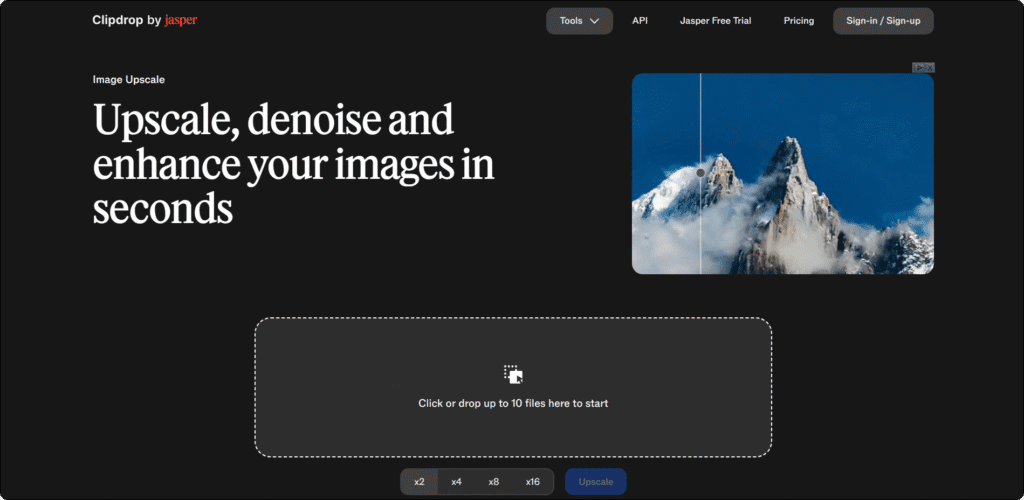
Clipdrop is a browser-based image toolkit by Stability AI that bundles upscaling alongside background removal, object cleanup, inpainting, relighting, denoising, text removal, and style transfer – all in a single modern interface. For content creators who need more than a standalone upscaler and prefer a fast, no-install web workflow, Clipdrop is one of the most versatile tools on this list.
Key Features & Strengths
Clipdrop’s free tier gives users 20 daily credits at 2x upscaling – enough for regular light use without any commitment. The Pro plan unlocks upscaling up to 16x at full resolution with 1,000 daily credits, making it highly practical for creators who produce content at volume. The interface is genuinely mobile-friendly, which is rare in this category and valuable for creators who work from their phones.
The real strength of Clipdrop as one of the best ai image upscaler tools for workflow-focused creators is its toolkit breadth. Upscale an image, then remove its background, clean up artifacts, and relight the subject – all without leaving the platform. For product photographers and social media creators, this consolidation removes significant friction from the editing process.
Clipdrop is also one of the most accessible entry points to Stability AI’s technology for creators who are not yet ready to manage their own API key setup, making it a natural companion to the PicZama Upscaler for those exploring what Stability AI’s models can do.
Pricing Model / Cost
Clipdrop offers a free tier with 20 daily credits at 2x upscaling – no credit card required. Pro unlocks higher resolution and 16x upscaling with significantly more daily credits. For current pricing, visit the official Clipdrop website.
Ideal User / Use Case
Clipdrop suits creators who want an all-in-one browser-based editing suite with upscaling built in – particularly those who also need background removal and image cleanup in the same session. It is especially useful for mobile-first creators and social media managers who need fast turnaround with minimal setup.
Our Verdict: Clipdrop is the best browser-based toolkit pick for creators who want upscaling bundled with background removal, cleanup, and relighting tools – all in one place with a generous free tier to get started.
Tips for Getting the Most Out of AI Image Upscalers
Picking the right tool is only half the job. How you use it – and what you do before and after upscaling – has a big impact on your final output quality. Whether you are working with meme templates, product photos, or AI-generated visuals, a few smart habits will get you consistently better results.
Follow these practical tips before you commit any image to your final design or post.
The Basics
- Evaluate Before You Commit: Start with a tool’s free tier before paying. Use an ai photo enhancer online with a small sample of your actual images – not generic test photos. Real-world results on your content type matter more than benchmark scores.
- Check Reviews & Community Feedback: Look for recent reviews from creators in your niche. Free ai image upscaler online communities on Reddit and YouTube regularly compare tools on portraits, memes, illustrations, and product shots – these give a far more honest picture than marketing copy.
- Match the Tool to Your Workflow: If you edit inside PicZama regularly, start with the PicZama Upscaler to keep your workflow in one place. If you need to process large batches before bringing images into your editor, a cloud tool like Let’s Enhance handles that efficiently.
The Pro Strategy
- Clean Your Image Before Upscaling: Heavy JPEG compression and noise are amplified by AI upscalers. Run a quick denoise pass before upscaling if your source image is degraded – VanceAI has a dedicated denoiser built in, or use PicZama’s editing tools to clean the image first.
- Choose the Right AI Model: Most tools offer multiple models for different content types. Always select the portrait model for faces, the illustration model for graphic art, and the general photo model for everything else. Using the wrong model is the single most common reason upscaled results look unnatural.
- Upscale Once and in One Pass: Avoid running the same image through multiple upscalers in sequence. Each pass introduces new AI-generated pixels on top of already-generated ones, which compounds artifacts and creates an over-processed look. Upscale once, at the size you actually need, and stop there.
Comparison Table: Top 5 AI Image Upscaler Tool Picks
| Tool | Pricing | Max Upscale | Best For | PicZama Compatible |
|---|---|---|---|---|
| PicZama | Free (own API key) | 4x | All-in-one creator workflow | Native – built in |
| Let’s Enhance | Freemium | 16x | High-volume batch, print output | Export and import |
| Upscayl | Free (open source) | 4x (desktop) | Unlimited free, privacy-first | Export and import |
| VanceAI | Freemium | 8x | Portraits, photo restoration | Export and import |
| Clipdrop | Freemium | 16x (Pro) | Browser toolkit, mobile creators | Export and import |
Best Choice For – Our Final Recommendation
- Best overall: PicZama – the only pick that combines Stability AI-powered upscaling with a full creator editing suite in one platform, at no extra platform cost.
- Best free option: Upscayl – genuinely unlimited, watermark-free, and open-source with AI quality that competes with paid tools.
- Best for beginners: Clipdrop – the most accessible entry point with a clean browser interface, mobile support, and a generous free daily tier.
- Best for professionals: Let’s Enhance – 16x upscaling, batch processing, API access, and multiple specialized models for print-quality output.
- Best for PicZama users: PicZama – upscale your image and immediately continue editing in the same workspace, with the Background Remover, Erase Tool, OutPaint, Regenerator, and Meme Generator all just one click away.
If upscaling is part of a broader editing workflow for you, it is worth knowing that background removal is another area where AI tools have made enormous strides. Our post on AI background remover tools for creators covers the best options available right now – and several of them pair naturally with an upscaling step to get your images looking clean from every angle before you start editing.
Conclusion: Elevate Your Images with Our Top 5 Picks
Sharp images are no longer optional for creators. Whether you are prepping memes, building social content, or producing assets for print, starting with high-resolution source material gives you a clear advantage at every stage of the editing process. The five AI image upscaler tools on this list cover every budget and workflow – from fully free desktop processing to professional cloud platforms with batch API access.
Start with the PicZama Photo Editor to upscale your images and keep the whole workflow in one place. Every tool you need to take a raw visual from blurry to publish-ready is already there – and the Stability AI Upscaler is waiting for you inside.