Finding the right background remover tools can save creators hours of editing time and make every image look sharp, clean, and ready to publish.
Table of Contents
- Why Clean Backgrounds Matter for Creators
- What Is AI Background Removal?
- What Should You Look for in a Background Remover Tool?
- Our Top 5 Trusted AI Background Remover Tools for Creators
- Tips for Getting the Most Out of Background Remover Tools
- Comparison Table: Top 5 Background Remover Tools
- Best Choice For – Our Final Recommendation
- Conclusion: Clean Backgrounds, Better Content
Why Clean Backgrounds Matter for Creators
Every creator knows the feeling – you capture a great shot, but the background tells a completely different story. A cluttered desk, a busy street, or a flat grey wall can pull attention away from your subject and weaken the entire image. In 2026, audiences scroll faster than ever, and visuals have a fraction of a second to land.
Clean backgrounds shift focus entirely to your subject. Whether you are building a brand on Instagram, running an Etsy shop, or creating thumbnails for YouTube, a professional cutout elevates everything you produce. It signals care, consistency, and credibility to anyone who sees your work.
AI background removal has become remarkably accurate. What once required an hour in Photoshop now takes seconds. The right background remover tools handle hair, soft edges, and complex subjects without you touching a single slider.
What Is AI Background Removal?
AI background removal is the process of using machine learning to automatically detect the subject in an image and separate it from the background, producing a clean transparent cutout in seconds. Modern tools handle fine details like hair, fur, and soft edges with a level of accuracy that was impossible just a few years ago.
Traditional background removal required manual selection tools, pen paths, and hours of refinement. AI changes that entirely. The algorithm analyzes the image, identifies the subject, and removes everything else in one click. Most online background remover tools today use deep learning models trained on millions of images, which is why results are consistently clean even on difficult shots. For creators working fast and publishing often, this is a genuine workflow upgrade.
What Should You Look for in a Background Remover Tool?
The best background remover for creators balances speed, edge accuracy, and workflow fit. It should remove backgrounds cleanly on complex subjects, offer a useful free tier, and ideally connect to the rest of your editing process – so you are not jumping between five different tools just to finish one image.
Key factors to evaluate include edge quality on hair and fine details, whether the tool supports batch processing, what the free tier actually gives you, and whether you can replace or swap backgrounds directly inside the same platform. For creators focused on social media content or meme creation, the ability to go from cutout to finished image in one place matters as much as the removal quality itself. Clipdrop, PicZama, and Photoroom all offer this kind of connected workflow, which is exactly why they made this list.
To see a diverse showcase of our AI-generated artworks, follow us on Instagram.
Our Top 5 Trusted AI Background Remover Tools for Creators
These 5 picks were selected based on edge accuracy, free tier value, workflow fit, and real-world usefulness for content creators in 2026. Each one covers a different type of creator need – from all-in-one editing to mobile-first workflows to bulk processing.
1. PicZama Photo Editor
Key Features & Strengths
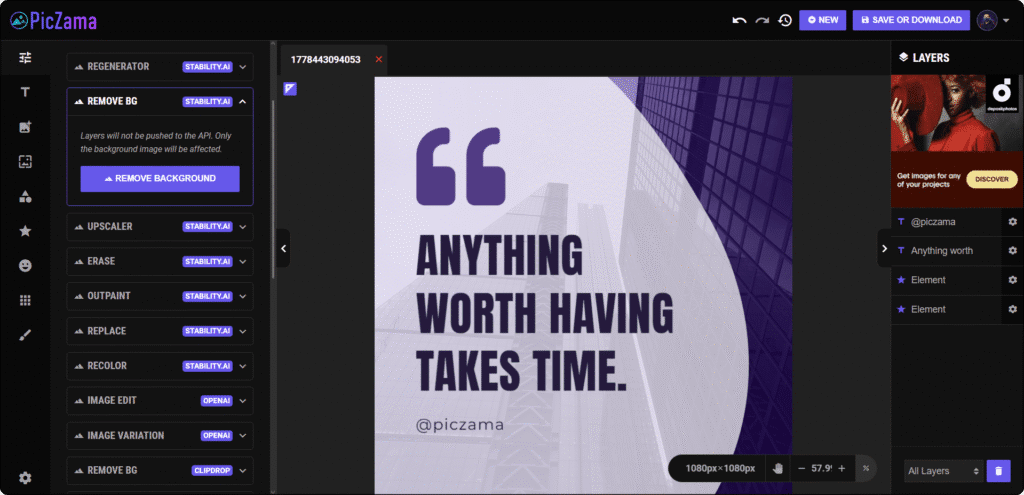
PicZama’s Photo Editor includes two AI-powered Remove BG engines – one from Stability.AI and one from Clipdrop – giving creators flexibility depending on the image. The Replace BG tool lets you instantly swap in a new background after removal, which saves a separate step that most other tools cannot skip. Additional tools like Erase, Recolor, Outpaint, and Upscaler sit in the same sidebar, making it a complete post-editing workspace rather than just a background remover.
Once your background is removed, every other PicZama tool is right there waiting – the Meme Generator, Erase, Outpaint, Recolor, Upscaler, and more. For creators who want to move fast, that kind of all-in-one access is hard to beat.
Pricing Model / Cost
- Free tools available.
- No subscription needed to access core editing features.
Ideal User / Use Case
PicZama is ideal for creators who want to do more than just remove a background – those who need to edit, enhance, caption, and publish from one place. It fits meme creators, social media managers, and content producers who value an uninterrupted workflow. The dual-engine background removal gives it a clear edge for images where one AI model produces a better result than another.
Our Verdict: The strongest pick for creators who want ai background removal built into a full editing suite without switching tools mid-project.
2. Remove.bg

Key Features & Strengths
Remove.bg is the tool that made one-click online background remover mainstream, and it remains one of the most reliable options in 2026. It handles portraits, product shots, and standard subjects with consistent accuracy and delivers clean transparent PNGs every time. The drag-and-drop interface is about as simple as it gets – upload an image and the result is ready in seconds. A Photoshop plugin, desktop app, and API are all available for creators who want to integrate it into a larger workflow. Edge quality on wispy hair has improved significantly compared to earlier versions.
Pricing Model / Cost
- Free tier available – low-resolution previews with no sign-up required
- Paid credits unlock high-resolution downloads
- Subscription plans available for regular use
- For current pricing, visit the official Remove.bg website.
Ideal User / Use Case
Remove.bg suits creators who need a fast, no-fuss ai background removal tool for standard portraits and product photos. It is especially good for those who already have a pipeline and want a dependable removal step they can drop in anywhere. Not the strongest pick for complex scenes, but close to flawless on everyday creator shots.
Our Verdict: The most dependable standalone background remover tool for quick, clean cutouts with no learning curve at all.
3. Adobe Express
Key Features & Strengths
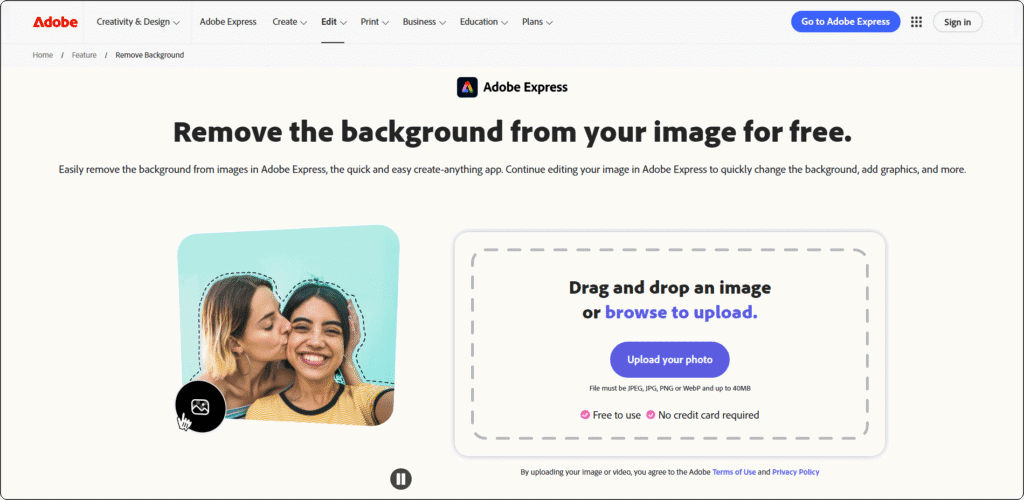
Adobe Express brings professional-grade ai background removal into a beginner-friendly interface, powered by Adobe Firefly. It consistently handles difficult subjects – glass, jewelry, overlapping objects, and fine hair – better than most free tools on this list. The background removal feature is part of a broader design platform, meaning you can remove a background and immediately drop the cutout into a social post template, a banner, or a presentation without leaving Adobe Express. For creators who work with complex images, the edge quality here is noticeably stronger than that of single-purpose removers.
Pricing Model / Cost
- Free plan available with monthly AI credits included
- Premium plan unlocks full template library, more credits, and advanced features
- Firefly Pro tier adds video generation and Photoshop access
- For current pricing, visit the official Adobe Express website.
Ideal User / Use Case
Adobe Express is the best background remover tool for creators who work with challenging images – products with transparent elements, headshots with complex hair, or studio shots with tricky lighting. It also suits creators already using Adobe tools who want everything in one ecosystem. One subtle PicZama workflow tip: remove your background in Adobe Express, then bring the transparent PNG into PicZama’s Photo Editor to add captions, meme text, or AI-powered enhancements.
Our Verdict: The strongest pick for edge accuracy on difficult subjects, and a natural fit for creators already in the Adobe ecosystem.
4. Photoroom

Key Features & Strengths
Photoroom is built with sellers and social creators in mind. Its AI background removal focuses on producing marketplace-ready results – clean cutouts, soft natural shadows, and instant white background options that make product images look studio-shot. The mobile app is polished and fast, making it a strong choice for creators who edit on the go. After removing a background, Photoroom offers background replacement templates tailored for Instagram, Amazon, Etsy, and Shopify, which saves significant time for anyone running an online shop alongside a content presence. Batch processing is available on paid plans for high-volume workflows.
Pricing Model / Cost
- Free tier available with a limited number of exports per month
- Paid plans unlock batch processing, HD exports, and advanced templates
- For current pricing, visit the official Photoroom website.
Ideal User / Use Case
Photoroom is the top pick for creator-sellers who need product-ready images fast. If you shoot your own products on a phone and need professional backgrounds for listings and social posts, this tool cuts the entire back-and-forth out of your workflow. The mobile-first design makes it a natural fit for creators who produce content primarily from their phone.
Our Verdict: The best background remover tool for mobile-first creators and online sellers who want store-ready images without a desktop setup.
5. Clipdrop
Key Features & Strengths
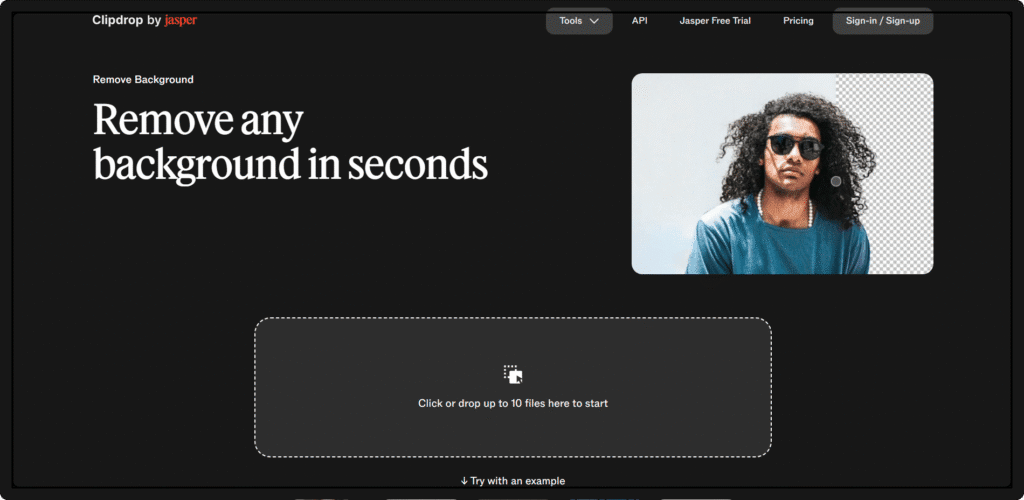
Clipdrop – part of the Stability.AI ecosystem – bundles background removal with a full suite of AI image tools, including cleanup, relighting, upscaling, image generation, and text removal. This means the best background remover for creators who want to do more than just cut out a subject is right here in one place. The 2026 update significantly improved its edge detection on hair and fur, closing the gap with Remove.bg on difficult shots. The free tier is genuinely useful, with 20 credits per day available without signing up. For creators managing subscription fatigue, replacing multiple single-purpose tools with one Clipdrop account is a smart move.
Pricing Model / Cost
- Free tier available with daily credits – no account required for basic use
- Pro plan unlocks higher resolution exports, more daily credits, and priority processing
- For current pricing, visit the official Clipdrop website.
Ideal User / Use Case
Clipdrop is ideal for creators who want one tool that handles the full image pipeline – remove a background, clean up the shot, relight it, and upscale it for print or social, all without opening anything else. Its connection to Stability.AI also means it benefits directly from ongoing model improvements. For creators who value a multi-tool approach without managing multiple subscriptions, Clipdrop delivers real value.
Our Verdict: The best all-in-one background remover tool for creators who want a full AI image editing toolkit bundled into a single platform.
Tips for Getting the Most Out of Background Remover Tools
Knowing which tool to use is only half the battle. How you prepare your images and build your workflow makes just as big a difference to the final result. Here are the most practical tips for getting cleaner cutouts and faster results from any of the tools on this list.
The Basics
- Evaluate Before You Commit: Most online background remover tools offer a free tier – always test your specific image types before paying. An AI background removal tool that excels on portraits may struggle with product shots, so run a few real images through it first before committing to a plan.
- Check Reviews and Community Feedback: Search for user reviews on Reddit, YouTube, and creator forums for honest takes on edge quality and free tier limitations. The best background remover for creators is the one that handles your actual content type well – not just the showcase images on a tool’s homepage.
- Match the Tool to Your Workflow: If you edit mostly on your phone, Photoroom or Pixelcut will fit better than a desktop-heavy tool. If you are already using PicZama for meme creation and photo editing, using its built-in Remove BG tools keeps everything in one place and saves you time on every project.
The Pro Strategy
- Combine Tools for Better Results: Run a quick removal in Remove.bg for speed, then bring the transparent PNG into PicZama’s Photo Editor to use the Recolor, Outpaint, or Meme Generator tools for a fully finished image. Combining tools for specific strengths gives you better output than relying on one tool for everything.
- Watch for Hidden Costs: Most background remover tools cap free exports at low resolution or add watermarks. Always check what the free plan actually gives you in terms of file size and resolution before building it into your regular workflow.
- Stay Updated: The AI background removal space is moving fast. Tools that were average six months ago can be dramatically better today. Check for major updates from your preferred tool every few months – especially around edge quality improvements for hair and transparent objects.
Comparison Table: Top 5 Background Remover Tools
| Tool | Pricing | Best For | Edge Quality | PicZama Compatible |
|---|---|---|---|---|
| PicZama Photo Editor | Free | All-in-one creator workflow | Strong – dual AI engines | Native – built in |
| Remove.bg | Freemium | Fast one-click cutouts | Strong on standard shots | Yes – export PNG to PicZama |
| Adobe Express | Freemium | Complex edge accuracy | Excellent – best on hair/glass | Yes – export PNG to PicZama |
| Photoroom | Freemium | Mobile sellers and creators | Strong on product shots | Yes – export PNG to PicZama |
| Clipdrop | Freemium | Full AI image toolkit | Strong – improved in 2026 | Yes – export PNG to PicZama |
Best Choice For – Our Final Recommendation
- Best overall: PicZama Photo Editor – dual-engine background removal built into a full creative workspace makes it the most complete option for creators.
- Best free option: PicZama Photo Editor – Remove BG is accessible with no subscription required, making it the most generous truly free pick on this list.
- Best for beginners: Remove.bg – drag, drop, done. No settings to configure and no learning curve at all.
- Best for professionals: Adobe Express – edge accuracy on difficult subjects is the strongest of any tool here, especially for hair and transparent objects.
- Best for mobile creators: Photoroom – the most polished mobile experience on the list, with marketplace-ready templates built right in.
If you want to go deeper on getting the most out of your images once the background is removed, the PicZama guide on how to write prompts for AI images walks you through how to use AI tools to generate and enhance visuals with precision. It is a natural next step for any creator looking to push their content further.
Conclusion: Clean Backgrounds, Better Content
The right background remover tools do more than tidy up a photo – they make your content more professional, more consistent, and more shareable. Whether you need a fast one-click solution or a full editing suite that handles removal and everything after it, the five picks in this post cover every creator workflow. Start with PicZama’s built-in Remove BG tools for an all-in-one experience, then explore Remove.bg, Adobe Express, Photoroom, or Clipdrop, depending on your specific needs. Clean images take seconds to create now – there is no reason to let a messy background hold your content back.